

Filtering Transactions
The left sidebar provides a set of filters to help you narrow down your transaction list. Use these filters to quickly find transactions by their current status or isolate activity within a specific time period.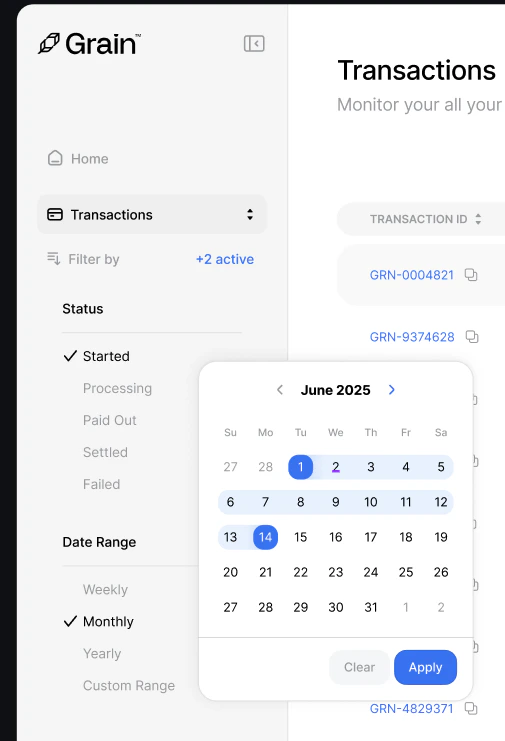
- Started — Payment session has been created
- Processing — Payment is being confirmed on-chain
- Paid Out — Funds have been settled to your account
- Settled — Transaction is fully complete
- Failed — Payment did not succeed
- Weekly — View the last 7 days
- Monthly — View the last 30 days
- Yearly — View the last 12 months
- Custom Range — Pick specific start and end dates using the calendar picker
Searching and Exporting
The search bar at the top right lets you instantly find specific transactions by Transaction ID, Wallet Address, or Booking Reference.