> ## Documentation Index
> Fetch the complete documentation index at: https://docs.grain.inc/llms.txt
> Use this file to discover all available pages before exploring further.
# Viewing Transactions
> Monitor all your payments in one place
The Transactions page is a detailed log of every payment that flows through your Grain integration. It displays all your transactions in a list with key details visible at a glance.
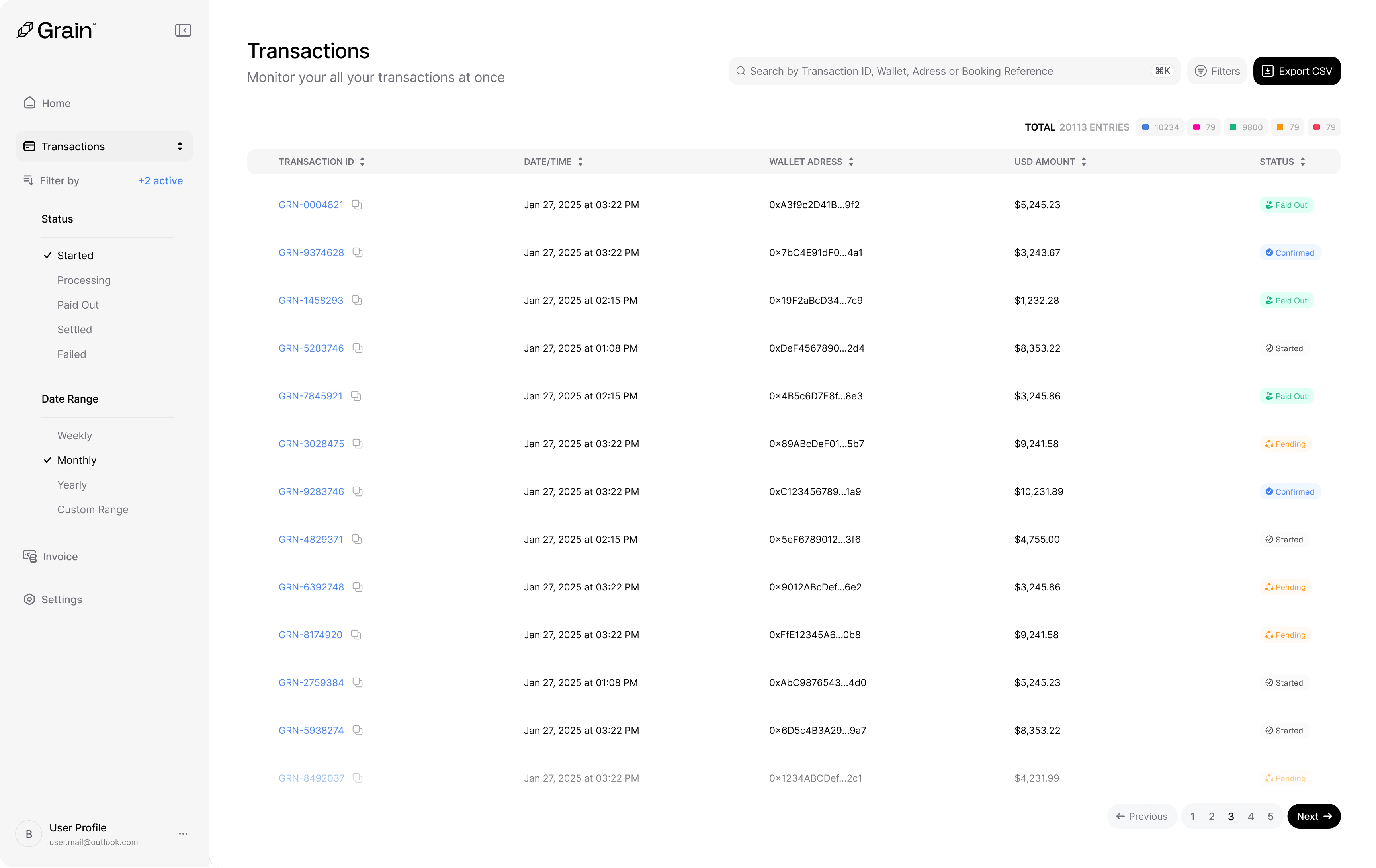 Each row in the transaction list shows:
* **Transaction ID** — A unique identifier (e.g., `GRN-0004821`).
* **Date and Time** — When the transaction was initiated.
* **Wallet Address** — The wallet address that sent the payment.
* **USD Amount** — The transaction value.
* **Status** — The current state of the payment, color-coded for quick scanning.
Each row in the transaction list shows:
* **Transaction ID** — A unique identifier (e.g., `GRN-0004821`).
* **Date and Time** — When the transaction was initiated.
* **Wallet Address** — The wallet address that sent the payment.
* **USD Amount** — The transaction value.
* **Status** — The current state of the payment, color-coded for quick scanning.